


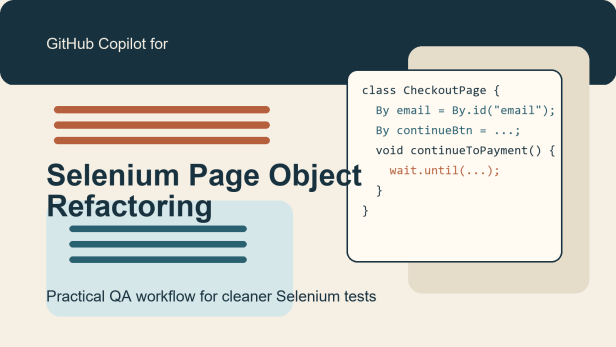
Copilot Selenium Page Object refactoring is a useful workflow when your Selenium suite has grown through copy-paste. Many QA teams start with a few direct tests, then slowly end up with repeated locators, repeated login steps, and repeated form actions across dozens of files. GitHub Copilot can speed up the cleanup, but only if you treat it as a drafting assistant and keep the QA review loop tight.
This tutorial shows a practical way to use GitHub Copilot to refactor duplicated Selenium code into page objects while protecting selector quality, wait strategy, and assertion strength. The goal is not to ask Copilot to rewrite the whole framework. The goal is to isolate one repeated flow, generate a cleaner page object draft, review it carefully, and then rerun focused checks.
What the official GitHub sources support
GitHub’s current documentation supports the core building blocks for this workflow. The refactor-code tutorial says Copilot Chat can help refactor code in the IDE. The chat-in-IDE docs recommend giving Copilot the right project context through the active file, highlighted code, or explicit file references. The write-tests tutorial says Copilot can help with tests, but more complex work needs more detailed prompts and verification. GitHub’s best-practices and AI-generated-code review docs also stress that you should understand, review, and test generated changes before you accept them.
Those sources do not justify letting Copilot redesign your automation architecture in one shot. They do support a smaller, repeatable QA workflow where Copilot drafts a page object refactor and the tester validates that behavior stayed the same.
Use case: duplicated checkout steps across three Selenium tests
Imagine you have three Selenium tests that all interact with the same checkout page. Each test repeats:
- finding the email field
- typing shipping details
- clicking the continue button
- waiting for the payment section
- asserting that the next section is visible
The suite still passes, but every locator update is painful because the same code appears in multiple tests. This is a strong candidate for page object extraction. The practical target is not convert the entire framework. The target is move one repeated flow into one clean page object and keep the test intent readable.
Step 1: prepare the right context before prompting Copilot
Open one representative Selenium test, the second test that duplicates the same flow, and the current page object package if your project already has one. If your IDE supports file references, include those files explicitly in Copilot Chat. This matters because refactoring quality depends heavily on context.
Before you prompt, identify these review constraints for yourself:
- which locators are already stable and should remain stable
- which waits are intentional because the page has asynchronous behavior
- which assertions prove business behavior instead of mere element visibility
- what naming convention your existing page objects already follow
If you skip this step, Copilot may produce a technically valid refactor that does not match your framework style or your QA intent.
Step 2: ask for a narrow refactor, not a framework rewrite
The strongest prompt is specific about scope. Ask Copilot to extract duplicated page interactions into a single page object while preserving the current assertions and test behavior. Also tell it not to touch unrelated tests.
Try This Prompt
Review the open Selenium test files and extract the repeated checkout-page interactions into one page object.

Requirements:
- keep the current test behavior unchanged
- preserve explicit waits where they protect real async behavior
- avoid brittle CSS chains if a clearer locator already exists
- keep assertions in the test unless the assertion is part of a reusable page state check
- return the proposed page object class and the minimal test changes needed to adopt it
- do not refactor unrelated files
This prompt does two important things. First, it limits the change surface. Second, it tells Copilot what not to break, which is often more valuable than asking for a generic cleanup.
Step 3: review the draft page object with a QA lens
When Copilot returns a draft, do not review it like a developer-only refactor. Review it like a QA engineer protecting test signal. Four checks matter most.
1. Locator quality
Did Copilot preserve stable locators, or did it replace them with shorter but weaker selectors? A readable page object is not an improvement if it becomes more brittle.
2. Wait strategy
Did Copilot remove a needed explicit wait, or broaden a wait until the test can pass for the wrong reason? Page objects often hide timing issues, so review this carefully.
3. Assertion placement
Did Copilot move too many assertions into the page object? Keep the business intent readable in the test. A page object can expose reusable state checks, but it should not swallow the whole verification story.
4. Method design
Did the proposed methods represent user actions clearly, such as enterShippingAddress or continueToPayment, or did Copilot create generic helpers that make tests harder to read?
Starter Snippet
public class CheckoutPage {
    private final WebDriver driver;
    private final WebDriverWait wait;

    private final By emailField = By.id("email");
    private final By continueButton = By.cssSelector("button[type='submit']");
    private final By paymentSection = By.id("payment-section");

    public CheckoutPage(WebDriver driver) {
        this.driver = driver;
        this.wait = new WebDriverWait(driver, Duration.ofSeconds(10));
    }

    public CheckoutPage enterEmail(String email) {
        wait.until(ExpectedConditions.visibilityOfElementLocated(emailField)).sendKeys(email);
        return this;
    }

    public CheckoutPage continueToPayment() {
        driver.findElement(continueButton).click();
        wait.until(ExpectedConditions.visibilityOfElementLocated(paymentSection));
        return this;
    }

    public boolean isPaymentSectionVisible() {
        return driver.findElement(paymentSection).isDisplayed();
    }
}
This is only a starter pattern. You still need to check whether the locator choices match your application and whether the wait belongs in the page object or the test setup.
Step 4: keep one focused test readable after the refactor
After extraction, the test should read more clearly, not less. If the resulting test turns into a chain of vague helper calls, the refactor may have gone too far. A healthier outcome is a short test that still communicates the business step.
Copy Example
@Test
void userCanReachPaymentStep() {
    CheckoutPage checkoutPage = new CheckoutPage(driver);

    checkoutPage
        .enterEmail("qa@example.com")
        .continueToPayment();

    assertTrue(checkoutPage.isPaymentSectionVisible());
}
That is readable because the test still shows the user action and the final check. If Copilot generates a much larger abstraction layer than this for a small flow, scale it back.
Step 5: rerun focused checks before expanding the refactor
Once you accept the smallest useful refactor, rerun the tests that use the changed flow. Then inspect the diff again. This matters because page object refactors can accidentally weaken coverage while keeping the suite green.
A safe validation loop looks like this:
- rerun the two or three Selenium tests that now use the new page object
- check whether any assertion became weaker after extraction
- confirm that negative-path or validation tests still fail when the UI is wrong
- only then apply the same pattern to additional pages
This is where GitHub’s review guidance matters. The point of Copilot is to reduce repetitive editing, not to skip the verification phase.
Common mistakes in Copilot Selenium Page Object refactoring
- Refactoring too many tests at once. Start with one repeated flow.
- Hiding every assertion in the page object. Keep business intent visible in the test.
- Replacing stable locators with shorter brittle ones. Shorter code is not better code.
- Removing waits without understanding the page behavior. That often converts a working refactor into flaky automation.
- Accepting generated structure without matching repo conventions. Your framework naming and package layout still matter.
Best practices for safer QA use
- Prompt Copilot with the active duplicated tests, not a blank chat.
- Ask for the minimal page object and minimal test edits.
- Review locators, waits, and assertion placement before accepting code.
- Keep the first refactor local to one page or one journey.
- Rerun the impacted Selenium tests immediately after the change.
- Use the reviewed result as a pattern for later cleanup, not as proof that all future refactors are safe.
Screenshot checklist
- The duplicated Selenium test methods before refactoring
- The Copilot prompt asking for a narrow page object extraction
- The first Copilot draft of the page object class
- The manual review of locator and wait changes
- The updated Selenium test after adopting the page object
- The focused test run after the refactor
Conclusion
Copilot Selenium Page Object refactoring works best when you keep the scope narrow and the QA review loop strict. GitHub’s official docs support the practical pieces: refactoring help in the IDE, context-rich prompting, test assistance, and careful review of generated code. Use Copilot to draft the repetitive cleanup, then use your QA judgment to preserve locator stability, assertion strength, and maintainable test design.
FAQ
Can GitHub Copilot convert an entire Selenium suite to page objects automatically?
It can draft large changes, but that is not the safest way to use it. Smaller refactors are easier to review and less likely to weaken coverage.
Should assertions live inside page objects?
Only when the assertion represents a reusable page state check. Keep core business intent visible in the test whenever possible.
What should I review first in a generated page object?
Start with locator quality, wait behavior, and whether the new method names still describe meaningful user actions.
How many tests should I refactor in one Copilot pass?
Prefer one repeated flow or one page at a time, then rerun the impacted tests before expanding the pattern.
References
- GitHub Copilot: Refactor code
- GitHub Copilot Chat in your IDE
- GitHub Copilot: Writing tests
- GitHub Copilot best practices
- GitHub review AI-generated code
- GitHub Copilot changelog (checked June 19, 2026)